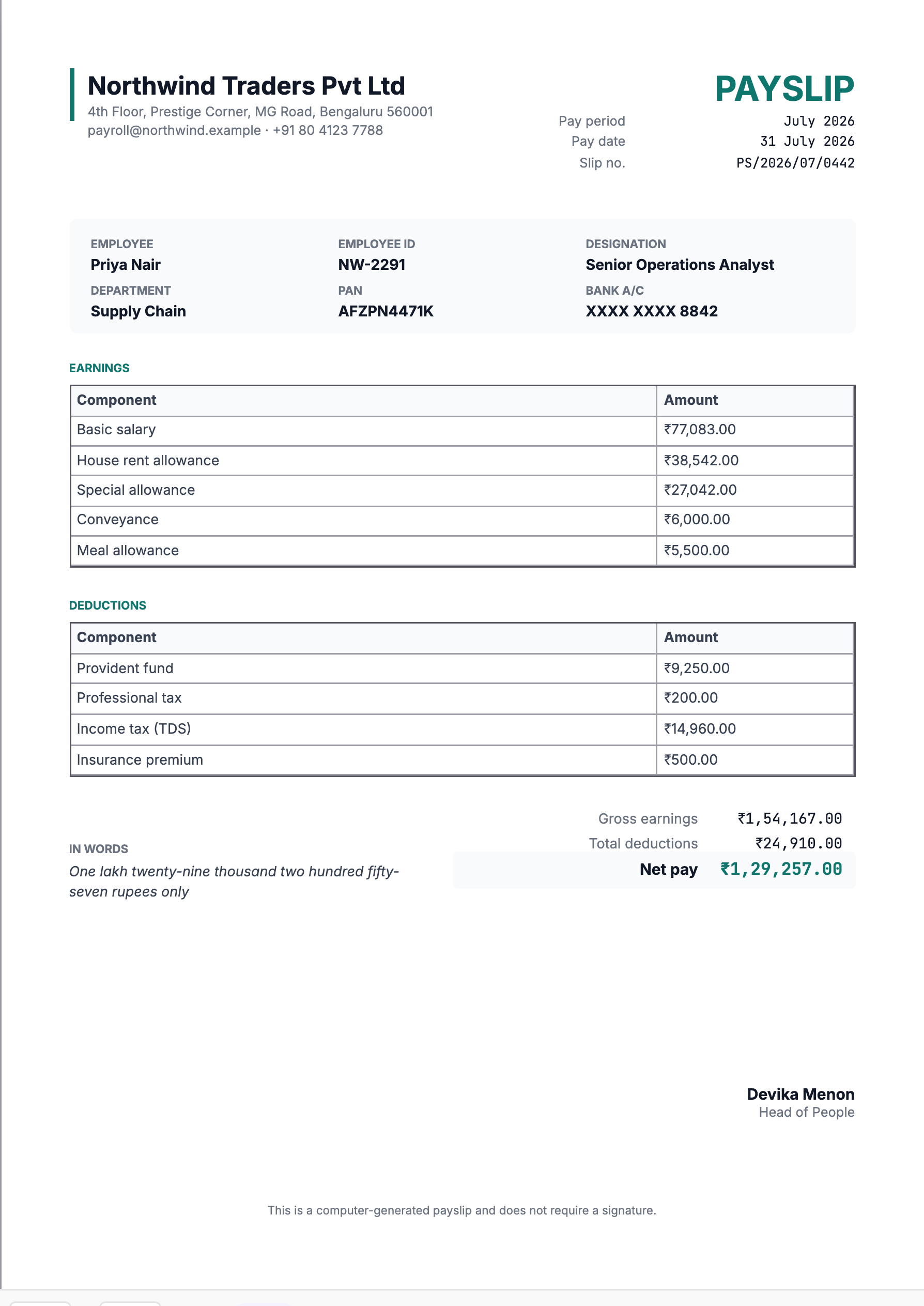
A payslip is the document employees keep. It gets used for loan applications, rent agreements, visa files and tax returns — often years after it was issued, and usually by someone who was not involved in producing it.
That is the design brief: it has to be readable by a stranger, and the arithmetic has to be followable without a spreadsheet.
Earnings and deductions belong in separate tables
This template splits them deliberately. A single list with negative numbers is compact and harder to read, and it is where reconciliation errors hide.
Two tables, each with its own subtotal, then gross minus deductions equals net. Anyone can check that in ten seconds, which is what you want when an employee queries a figure.
Typical components
| Earnings | Deductions |
|---|---|
| Basic salary | Provident fund |
| House rent allowance | Professional tax |
| Special allowance | Income tax (TDS) |
| Conveyance | Insurance premium |
| Meal or other allowances | Loan or advance recovery |
The exact set depends on your structure and jurisdiction. What matters is that each line is named the same way every month — a component that changes label between payslips looks like a new deduction to the person reading it.
Statutory identifiers
Include the employee's PAN and, where relevant, PF and ESI numbers. These are what make a payslip usable as evidence: a document that shows a salary but not who it belongs to in the eyes of the tax system is much weaker for a loan application.
Bank account should be masked. The last four digits confirm which account was credited without printing a full account number on a document that gets photocopied and emailed.
Net pay in words
The template carries an amount-in-words line for the net figure. It is conventional, and it is a genuine check — a figure and its written form disagreeing is caught immediately, where a wrong digit is not.
As with every value on this template, it has to be supplied as text. If you are generating payslips automatically, produce that string in the same step that computes the net.
Payslips are a monthly job — automate them
This is the clearest case in the whole gallery for generating documents rather than editing them. Every field already exists in payroll. The layout does not change from month to month. The only thing that changes is the data.
Editing a template by hand for each employee, each month, is both slow and the most likely way to send one person's figures to another. Generating from payroll records removes both problems, and the API that does it is on the free plan.
Keep them retrievable
Employees ask for old payslips, usually at short notice and usually for something time-sensitive. Whatever you generate, keep it somewhere the employee can retrieve it themselves. It is a small piece of infrastructure that saves a recurring interruption.