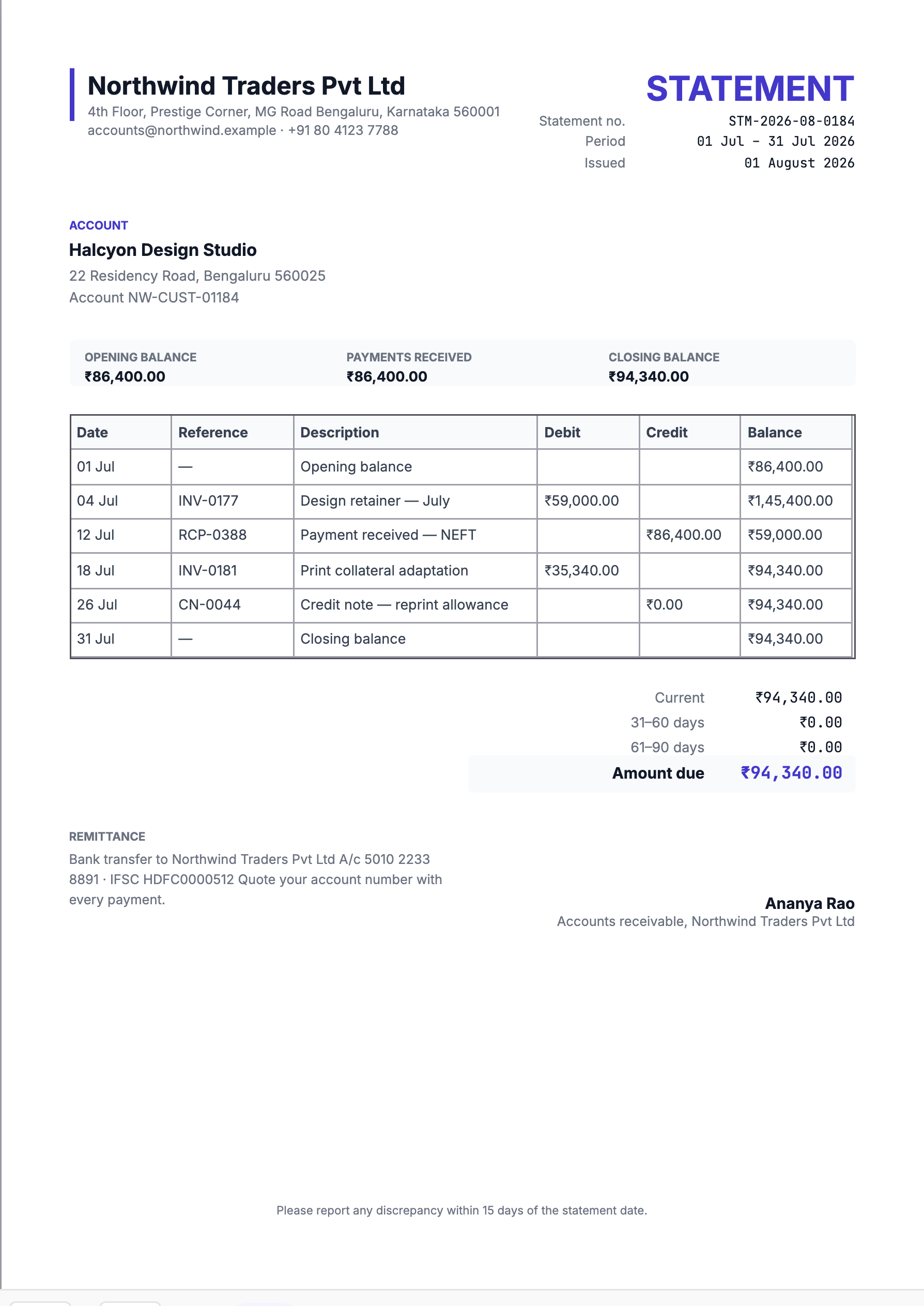
A statement of account is not an invoice. It does not create a new obligation — it summarises the ones that already exist, so both sides can agree on where the account stands.
That distinction matters practically: a statement should never be entered into accounts payable as a bill. Making it obviously a statement, not an invoice, is part of the design.
The running balance is the point
A list of transactions without a running balance forces the reader to add up. The template carries a balance column so any line can be checked in isolation, and so a disagreement can be traced to the exact transaction where the two records diverge.
Open and close with explicit balance rows. A statement that begins at the first transaction leaves the reader unsure whether anything came before.
Structure
| Row | Purpose |
|---|---|
| Opening balance | What was outstanding at the start of the period. |
| Invoices | Debits, increasing the balance. |
| Payments | Credits, reducing it. |
| Credit notes | Credits, shown distinctly from payments. |
| Closing balance | What is outstanding now. |
Keeping credit notes visually distinct from payments matters. They net off the same way but mean different things — one is money received, the other is money no longer owed — and conflating them makes a cash-collection figure wrong.
Ageing is what makes a statement actionable
The totals block shows current, 31–60 and 61–90 day buckets. This is the part a credit controller reads first, and it is what turns a statement from a record into a prompt.
Age from the invoice due date, not the issue date, and say which you used. The two conventions differ by your payment terms, and a customer comparing your ageing to their own will spot the difference immediately.
Send them on a schedule
Statements work because they are regular. A statement that arrives only when something is wrong reads as a demand; one that arrives on the first of every month is a routine reconciliation, and disputes surface early while both sides still remember the detail.
Month-end is the usual cadence. Send to accounts payable, not to your day-to-day contact — they are different people, and only one of them can act on it.
Make disputes easy and time-bounded
The template's footer asks for discrepancies within fifteen days. That is worth keeping: it gives the customer a clear route and gives you a period after which the balance is treated as agreed.
Include a contact for queries. A statement that generates a question with nowhere to send it just delays payment.
Generate, do not assemble
Every line on a statement already exists in your ledger. Building one by hand is slow and introduces the one error that undermines the whole document — a transaction included twice, or omitted, so the closing balance does not match what your system says.
Generating from the ledger means the statement is a view of your records rather than a second copy of them that can drift.